Tutorial: Log Group History
| 2. | The standard Log History box comes up, just like it would for an individual contact, except that the number of contacts appears instead of just one contact's name. You enter the appropriate information about the appeal. |

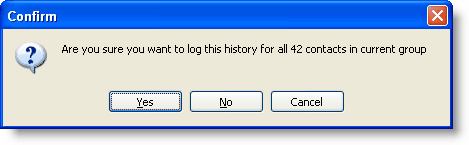
| 4. | TntConnect then asks if you want this Log History to apply to the entire group. |
| 5. | Confirm that you want to log this history. (If you make a mistake, you can delete these from the History View.) |
| 6. | You can view the history for the Current Group on the History Tab. Or you can view history on the History View, and take advantage of the great History View filters. |

|
Displays the history for the Current Group.
|
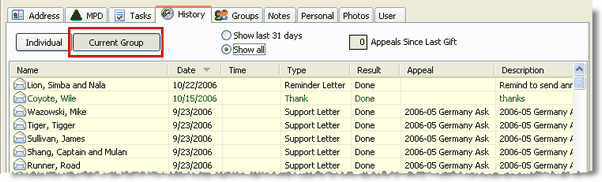
| 7. | The History Tab offers only limited filters. You can see all of your history in the History View. |

Helpful videos about using the Log History features
Video Series: Track Anything with Log History
Video: Track Pledge Changes using Log History
Video: Manage Prayer Requests using Log History
Video: Log History for "Presents" (non-financial gifts)