One of the most popular features of TntConnect is the Automatic Actions for New Gifts. Every time a new gift is entered—whether it is downloaded or manually entered—TntConnect compares that gift to the donor's commitment. There are 9 different tests that TntConnect performs on the gift.
Automatic Actions only work when the TNT Phase for each contact is correctly marked, and their pledge amount is correctly entered.
| • | All boxes on the Automatic Actions Tab are checked by default. |
| • | This list flows in roughly the same order as the support cycle |

First Gift
|
When a contact is marked as having a pledge but the pledge received box is unchecked, when the first gift is received a task is generated. The task will be generated no matter what the amount, even if it does not match the pledge commitment.

|
Received
|
Related to the above, TntConnect will automatically check the Pledge Received box.

|
Extra
|
This task actually appears as thank for EXTRA gift. It's important to understand that this task is generated every time a partner's gift is MORE than their pledged amount. However, if they are a $25 monthly donor and they miss a month then give $50, TntConnect will not regard that as EXTRA because that donor's gift is within their defined giving.

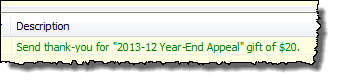
For a PARTNER-Financial contact, if you mark their gift as a response to a Special Gift Appeal before it is saved in the database, TntConnect will create a special thank just for the appeal.
|
Special
|
For any contact whose TNT Phase is not PARTNER-Financial, the task will appear as a SPECIAL thank.

|
Research smaller amount
|
TntConnect cannot interpret why a donor may give below their pledged commitment, so this thank you task alerts you of the smaller gift. This could be a special gift, an extra gift, or an indication they have reduced their commitment. It is up to you to find out why.
|
Large Time Frame
|
When a donor's scheduled gift is X months or more, it's prudent to send a thank you every time they give.
|
Delayed Thank You
|
Thank contact who has not been thanked in some time.
Many contacts give faithfully and consistently (in amount), and as a result do not generate any other thank you. But thanking our partners regularly is very wise and shows our gratitude for their partnership. When TntConnect checks giving, it will create a new thank you task for any partner who has not received a thank you within the specified months.
|
Call delinquent contact
|
Historically, you had to review the "Pledge Fulfillment Report" to find donors who were behind in their commitments. Now TntConnect helps automate that by adding these contacts to your task list once each month they are more than 30 days late.
|
Recontinuing
|
If a PARTNER-Financial contact is behind on their commitment (by the selected number of months) and then gives a gift, they are assigned a RECONTINUING task. It is important to thank a contact who does this, as an encouragement to them.
|
Tasks Tab (in Tools | Options)

Show history after clearing a task by default
|
Many people like to edit the description of a task at the time they clear it. For example, if the task was a phone call, it can be helpful to put some relevant information about the call in the description. Uncheck this box if you want TntConnect to simply record the completion of the task without further interaction.
|
Draw a line through attempted history items.
|
It can be very helpful to know when a task was attempted but not successfully completed. The most common example of this is making a phone call to a contact, where several attempts may be necessary. This feature records the task but also highlights that it was unsuccessful. Uncheck this box and the task will appear in the same format as any other completed task (with whatever color or hide options that may apply).
|

|
New tasks and history are marked "Shared with Support Coach"
|
In some organizations, coaches assist their new staff by tracking their activity to help guide them. While any history can be marked as "Share with Support Coach" on the details of the history, this checkbox makes the box checked by default.
|
Mark new appointments as "Partnership Challenge"
|
For new missionaries, many of their appointments include a personal challenge, the record of which is helpful for their history log and for their weekly coach's update. For seasoned missionaries, however, many appointments are for building relationships with partners but do not include a financial or referral challenge. This checkbox allows the user to default whether the partnership challenge is included (checked) or excluded (unchecked) from appointments. Note that this can be checked/unchecked on any specific appointment, and when the task type is "Appointment", this checkbox appears on the main dialog box.
|