Tutorial: Schedule a Task
1.Select the Tasks Tab
2.Press the <Schedule> button.

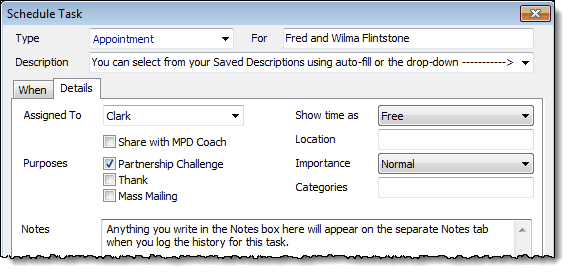
3.Fill in the appropriate information related to the task. You can select from the same list of Saved Descriptions used when you Log History.

Recurring Tasks

Tip: Recurring Tasks
Although recurring tasks would probably be rare, there are times when they could be useful. Use recurring tasks to remind you to do functions you do regularly.
•Example: Manually adding a gift each month that is given by account transfer (from within your organization).
•Example: Phone calls or letters you write regularly.
•Example: Start working on your regular newsletter.
•Example: Writing a personal letter to someone. If you regularly send a personal letter to one or many of your contacts. If you do this, you can select the task to recur X days after you complete the previous task. (The Regenerate new task option will not appear on all task types.)
•Example: Recurring prayer request.
To use Recurrence, press the <Edit> button in the Schedule Task box.

Read More > Tutorial: Schedule a Task