The great news is that your TntConnect database is pretty much self-maintaining. It performs several routine maintenance steps whenever you exit.
Maintenance
Export
|
|

|
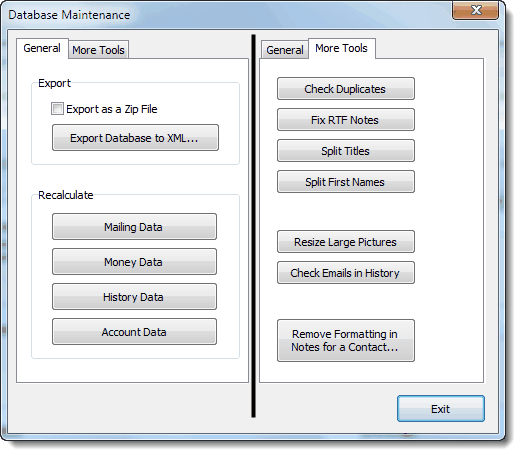
You can export your entire database to an XML file to import into other tools or extract data. (Very advanced feature)
|
Recalculate
|
|




|
When you press any of these four buttons, File Maintenance performs a sweep of your database to look for errors. You cannot harm your database by pressing any of these buttons, and in general you would not see any results. That is, the sweep would finish and return you to the File Maintenance box. You would want to run these when you:
| 1. | After changing data directly in the database via Access |
| 2. | After manual conflict resolution in TntSync (as anomalies may occur) |
|
Other Items
|
|

|
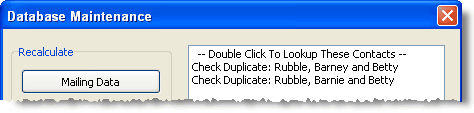
Checks for duplicates by analyzing first names and last names. Notice in this example that Barney Rubble has been entered twice, once as Barney and once as Barnie.
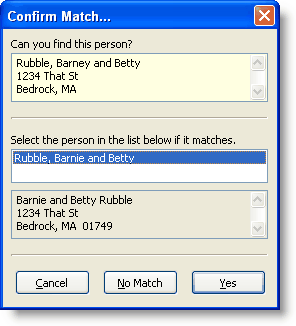
Check for Duplicates will not make changes, but will offer a lookup for these contacts:
Tip: Check for Duplicates
TntConnect can check for possible duplicates in your list, using the same logic it does when downloading a contact for the first time from your organization.
Read More > File Maintenance
|

|
Clicking on Fix RTF Notes will automatically detect and fix this formatting codes in the Notes field where it occurs. (Very rare)
|


|
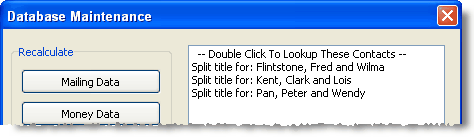
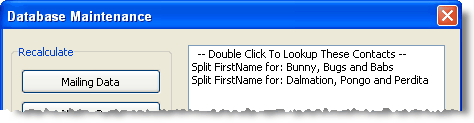
File Maintenance will search your database for contacts who have titles or first names combined in one field. This most commonly occurs when a user imports an existing contact list.
|

|
If you loaded pictures in TntConnect in an older version—before TntConnect auto-resized them, you may have big pictures filling up your database. Pressing this button will check your database for any pictures larger than 50kb.
|

|
|
|
|
Other File Utilities
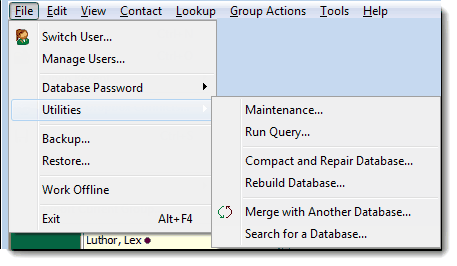
Run Query. This is used by those who have created their own queries using Microsoft Access.
Compact and Repair Database. To keep your database in tune, including reducing its file size, TntConnect will periodically (and automatically) run a file maintenance procedure called Compact & Repair Database. You can run this procedure manually from the File menu.
Rebuild Database
File Maintenance can perform a rebuild of your database. This is a more time-consuming sweep as TntConnect will analyze every gift and every contact individually. You cannot harm your database by performing this procedure, but there is also no reason to perform this maintenance step on a regular basis.
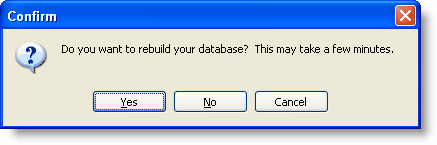
What actually happens:
| 1. | TntConnect creates a brand new database. |
| 2. | TntConnect copies all the records from your old database into this new database. |
| 3. | TntConnect deletes the old database and renames the new database to match your old one. |
How does this compare to "Compact and Repair Database"?
| 1. | They are similar in that they both create new databases and copy records. |
| 2. | Compact Database creates a new database using the structure from your old database (which might be corrupted). |
| 3. | Rebuild Database is “deeper” in that it can restore lost indexes and other TntConnect-specific structures that Compact and Repair might miss. |
| 4. | Rebuild Database ensures that your database is exactly as TntConnect expects it. |
| 5. | Rebuild Database takes longer. |
Merge with another database. When you want to permanently combine two databases (such as when two single missionaries get married), use this feature.
Search for a database. Sometimes it can be hard to find a database in the depths of your computer. This tool helps you find databases on your computer.
Filed under: tools, file maintenance, fix RTF notes, split, tools file maintenance, rebuild database, split titles, recalculate data, split first names, file, maintenance (menu item)