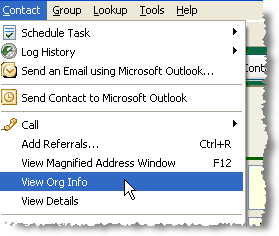
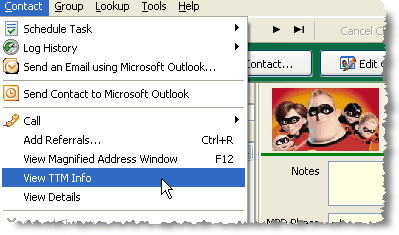
The Contact Menu has an item called "View Org Info", or more precisely, "View Organization Info". But what you may see is the initials for your organization.
Default
|
Your Organization - ToonTown Ministries (TTM) Sample
|
|
|
If you can connect to your organization's donation system through the web or your organization sends you your contribution information via a TntConnect data file, then you have the advantage of being able to compare your address and phone information with what your organization has for each donor.
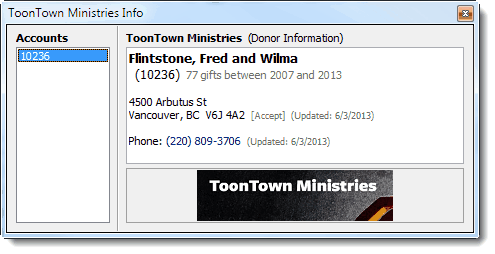
The Ministry Info page shows the account number(s) for this contact, along with the ministry's address and phone number(s).
If the the address or phone varies from the one in your database, click the [Accept] link to replace the existing TntConnect data with the organization's information.
Unreviewed Account Info
It is not uncommon for your address information to be out of sync with your organization’s; this can be either intentional or accidental. When there is an resolved discrepancy between a contact you have entered and that contact's address from your organization, TntConnect will alert you by making the address appear bold and orange. There are several reasons why this may occur.
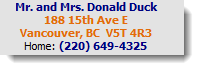
Reasons why a contact's donor information may vary in your TntConnect database vs. your organization's database
| • | (Most likely) Your donor's address information for your organization is slightly different from the way you entered it. Often this can be as simple as the difference between a street name and an official abbreviation. |
| • | Your donor has recently moved and has informed you, but not your organization. |
| • | Your donor has recently moved and has informed your organization, but not you. |
| • | You contact this donor at their home, but they give through their business or have a separate mailing address (such as a P.O. Box) for their mail they want to get from your organization. |
When you Update Donor Info, any changes from your organization will prompt you to review.
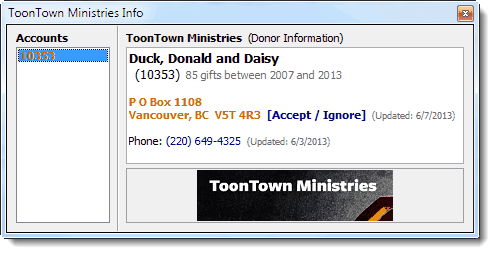
Two SUPER HELPFUL TntConnect features related to Updating Organization Info:
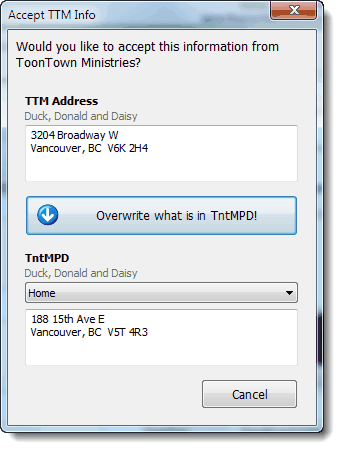
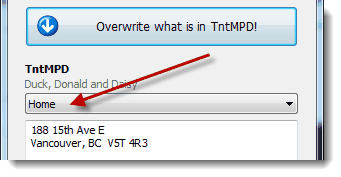
| • | If you press the "Accept" link to apply these changes to a contact's account information, TntConnect will first prompt you to display what the new and old information are, so that you can confirm the change. When you accept the change ("Overwrite what is in TntConnect"), the change will be made and TntConnect will make automatically add a "Note" to the contact's History to indicate the change was made. The details of the note will include both the old and new information. This ensures that you can still find the overwritten information, in case you need to reference it again in the future, or if you made the Accept in error. |
| • | You decide where the change goes! Let's say the donor has a new phone number with your organization, but you know this number is her mobile phone. When you press the "Accept" button—but before you press the "Overwrite" button—you will be given the option to choose which phone number field this change will apply to. Also, if you manually update the phone number (in the Phone field, not in the Organization Info box), the bold/orange will disappear because TntConnect will recognize that the two numbers are now in agreement. This same "accept" feature works with all of the address/phone/email fields. If you manually update any field that matches, the bold/orange will disappear. |
Manually add Donor IDs
You can manually add Donor IDs on the Organization Info box. This may be useful if you cannot connect directly to your organization's donation system but may do so in the future. Manually adding a Donor ID would facilitate a future link with your donation system.
Right-click in the "Account List" box.
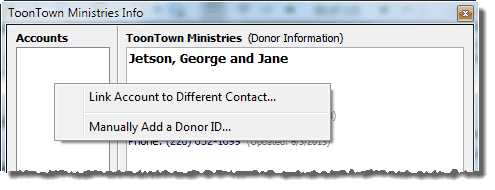
Then key in the Donor ID:

How to change / delete an erroneous Donor ID that you have added
If you manually add a Donor ID, there may be times that you add or enter it in error. There is no "delete account". However you can delete an erroneous account by following these steps:
| 1. | Create a new contact for temporary usage. |
| 2. | Select the contact whose account number you want to delete. |
| 3. | Select Contact | View [Org] Info |
| 4. | Right-click on the account number you want to delete. |
| 5. | Select "Link Account to Different Contact". |
| 6. | From the list, select the new temporary contact you made in step 1. |
| 8. | Once the account is linked to the new temporary contact, you can then delete the contact. |