The Installation Tab gives users the ability to modify some of the default installation settings, including the displayed language (though this has no effect on the data you enter). You would want to modify these settings when they are not appropriate for you (you could also do this by re-installing TntConnect or when doing a future update).
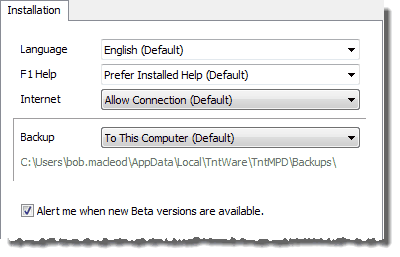
Allow TntConnect to connect to the Internet
|
Options:
| • | Use Installation Default (choice) |
In general, you will want to allow TntConnect to connect if you have consistent access to the Internet, even if you cannot download gifts from their organization. Allowing TntConnect to connect to the Internet enables TntConnect to automatically alert you when an upgrade is available. Unless you are in a secure country without a secure VPN.
|
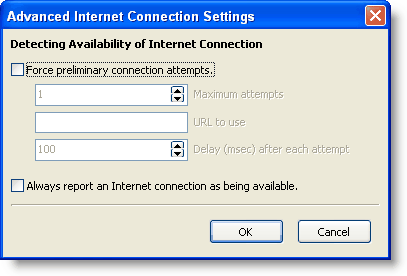
Advanced Internet Connection Settings
|
You can force specific Internet connection settings. This would be very rare.
|
Auto backup location
Read More > Backups
|
Options:
| • | Use Installation Default (choice). This is the backup location specified during the installation. |
| • | Disabled. Disabling the auto-backup is not recommended. |
| • | Specific. When you choose this, the box below allows you to edit / browse the location. |
|