If you've been translating TntMPD at the online translation center, and you'd like to test your translation to see how it really looks in TntMPD, here's how:
1. Download your translation to a file on your local hard drive (remember where you downloaded the file):

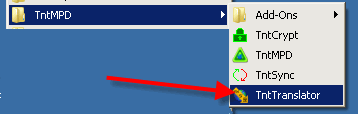
2. Under the "Start" menu, click on "All Programs", then "TntMPD", then "TntTranslator".
3. Under the "File" menu, click on "Open...", select "TntMPD.exe" and click "Open".
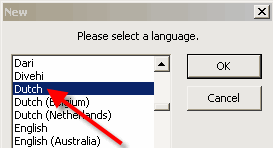
4. Under the "File" menu, click on "New...", select your language and click "OK". (if prompted, agree to overwrite any existing file)
5. Under the "File" menu, click on "Import Translation from CSV file...". Select the file you downloaded in step 1. Then click "Open".
6. Under the "File" menu, click on "Save".
7. Under the "Tools" menu, click on "Launch TntMPD using this translation".