Tip: Saved Descriptions speeds up entry of commonly used task/history descriptions
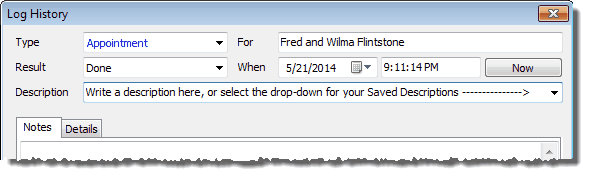
You can save your frequently used descriptions for tasks and history. These autofill as you type them.
| 1. | In the Description box, press the drop-down arrow |
| 2. | Select "Edit List" from the bottom of saved descriptions (if there are any) |
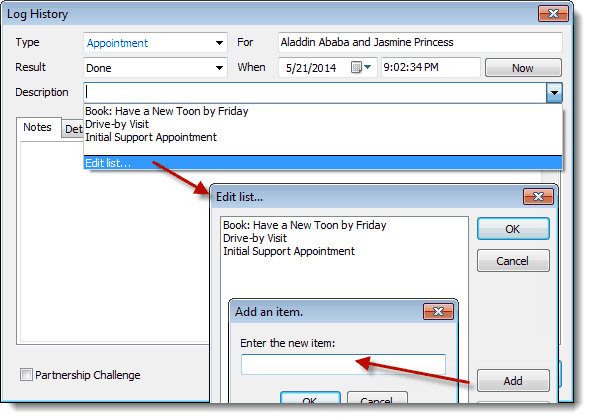
| 3. | Add or Edit your Saved Descriptions |
| 4. | When you want to use a Saved Description, just click in the "Description" box and start typing one of your saved descriptions... TntConnect will auto-fill from your list. (Or, click the drop-down arrow and select the one you want.) |
< Prev Topic
|
Next Topic >