TntConnect Errors
There are two kinds of errors that you may encounter when using TntConnect:
| • | You have asked TntConnect to do something that it cannot do. |
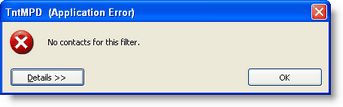
For example, you have done a lookup, but there are no contacts who fit the criteria. The error message is always the same: "No contacts for this filter." Although this appears as an Application Error, you do not need to report it to TntConnect because this is not a software bug.
|
|
| • | You have encountered a bug in the software. See below for information on how to report this error to TntConnect. |
|
Reporting an Application Error - a bug

|
This button sends the error directly to the TntConnect Community without using e-mail.
|
Each release of TntConnect is thoroughly tested by Beta testers before being generally released. Even so, you may be the first person to encounter a specific error.
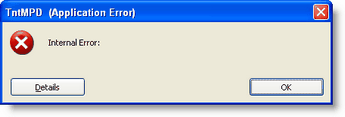
By reporting this error, you can help TntConnect continue to improve. If you encounter an error, you will see a box like this one. After the words "Internal Error:" will be a description of the error. Often this message will be cryptic as it may be describing a process you are unfamiliar with.
|
|
You can view the details of an error.
|
Press the <Details> button.

|
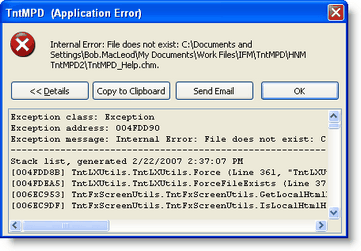
The details box provides technical information that is not intended to tell you the problem or help you solve it yourself. Instead it offers you a way to send an e-mail to the developers to alert them of the error.
Press the <Send e-mail> button.

|
|
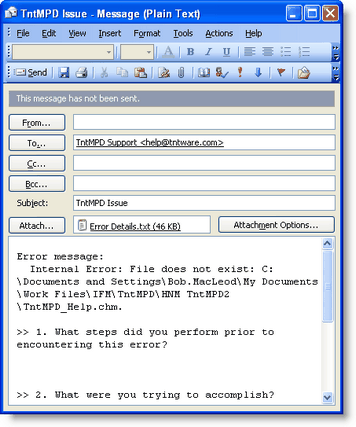
TntConnect will open your default e-mail program and create a message pre-addressed to the tech folks. It will also automatically attach the error details for you.
Additionally, it will pre-populate a message for you to fill in some of the details about what you were doing when the error occurred.
Press the <Send> button.

|
|