Under the "Tools" menu, click on "Microsoft Word:mac", then "Create Mail Merge".
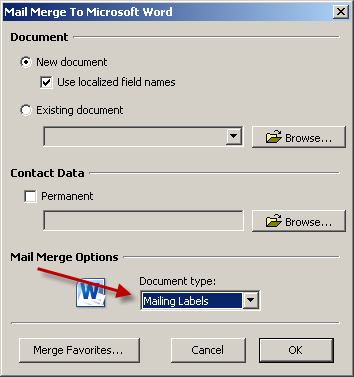
You should specify that you want to merge to "Mailing Labels".
Once you're in Word, if the "Mail Merge Manager" doesn't appear, select it under the "Tools" menu.
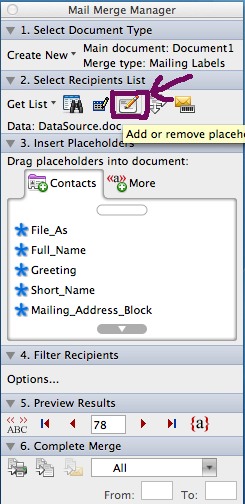
First click on Create New which will reveal a drop down menu. Select labels.
Click the button to "Add or remove placeholders".
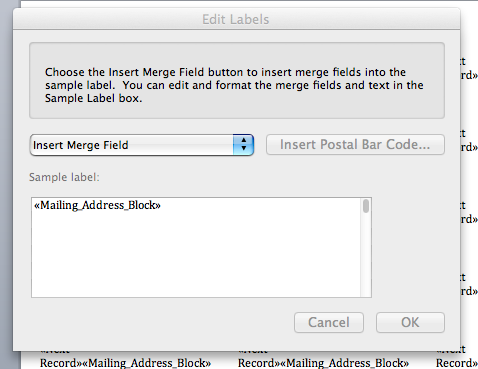
You can drag the merge field into the sample address label that is shown. Insert the "Mailing Address Block" merge field and click "OK".
Now, you should be all set to merge to a new document, or you can merge directly to the printer. These commands are available on bottom of the "Mail Merge Manager" under the "6: Complete the merge." section. You can either print the merged labels to a printer (leftmost icon) OR you can print to a file (2nd icon).