TntMPD ®
Powerful software for ministry partner development...
Exporting Contact Information

Contents

Syndication

Archives

Exporting Contact Information

Print this Topic Previous pageReturn to chapter overviewNext page

You can only export the Current Group. If you want to export only a portion of the contacts in the Current Group, create a new lookup that will identify just those you want to export.

Tutorial: Exporting a Current Group

1.Create the group you want to export.

2.Select the export command.

Menu Path: File | Export Current Group

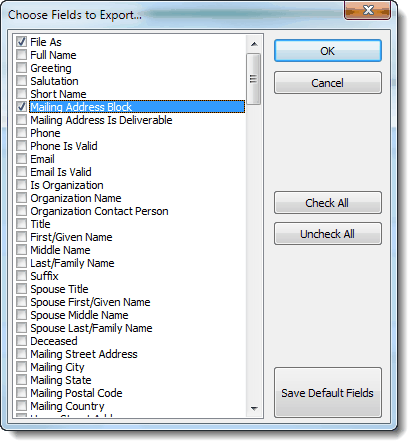
3.Select the fields you want to export. TntMPD defaults an assortment of common name & address fields. (You can right-click and select Check All or Uncheck All.)

You can also change the Default Fields for future exports by selecting the fields you normally want, and pressing Save Default Fields.

4.Press the <OK> button.

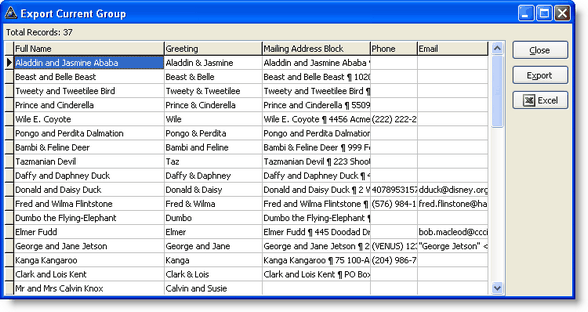
5.Press the desired output button.


Comments on this Help Topic

Scott Mitchell wrote re: Exporting Contact Information
on 1 Apr 2011 11:26 AM

The export creates extra sheets in Excel with a Pie Chart and a Bar Chart. These seem to greatly slow the export.  Is there a way to turn that off?

Troy Wolbrink wrote re: Exporting Contact Information
on 12 Apr 2011 1:45 PM

I ran a test.  My current group had 1,400 contacts, and I selected all fields.  The addition of charts made the entire process about 3% slower.  The bulk of the time is creating the Excel worksheet itself.